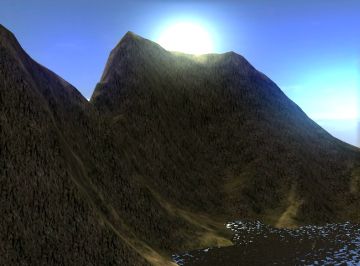
Below you'll find a list of all new features in the next Gamestudio/A8 beta version. Click onto the links to get the manual page of the new features.
For becoming a beta tester you should have experience with Gamestudio, be able to speak English, and own either the current Gamestudio/A8 Pro Edition or a valid support ticket. You can also get beta tester status when you've published a commercial quality project, programmed a popular tool or plugin, made substantial contributions to the Gamestudio Wiki, or have written a popular tutorial or book about Gamestudio. You can stay beta tester as long as you test beta versions and participate actively on the beta forum. For applying to beta tester status, please email Gamestudio Support (support [at] 3dgamestudio.net), and give your forum member name and your Gamestudio/A8 Pro user ID or support ticket number.
The beta list is no assurance of upcoming features. All beta features below are subject to change or even removal. Do not rely upon them to be implemented into an official release. Some of the beta features will only be available for certain editions. Features marked with X are experimental, unfinished features for testing purposes - they are implemented in beta versions, but not in an official release.
Several bugfixes.
The input_init function can be used to re-initialize the joysticks.
Exceeding max_entities does now not terminate the application anymore.
The entmove.c script now supports saving and loading the moving entities.
The operator precedence was changed so that expressions like mystruct.array[123] need no parentheses anymore.
The ifelse function is a more convenient substitute for the C ?: operator than if..else.
path_set now returns a negative number when multiple paths with the same name were found in the level.
A resource file name beginning with "wrs" won't cause a crash anymore.
Terrain LOD now also works correctly with nonstandard view angles (isometric or fisheye views).
The str_printf function now also supports Unicode.
Shader .fx files included in other shaders are now freed after compiling the shader.
ent_bone functions now return empty strings when the bone was not found. Previously the returned string had invalid content in that case.
ent_boneparent does not alter the bone name string anymore when a nonzero bone index was given.
The game icon is now displayed in the taskbar when the engine was started with the -nwnd command line option.
Decals on animated entities now also work with ent_animatefrom. Note that CPU bones animation must be used - it won't work with shader-animated bones.
Loading a game with dynamic terrain does not increase anymore nexus and memory allocation.
The ackusb.dll is now included in the Commercial Edition.
The OVERLAY flag for particles enforces writing into the z buffer for special purposes.
Stencil shadows are now also visible in mirrored views with negative arc.
Number and size of parameters to a lite-C function is now unlimited. Previously the parameter size was limited to 128 bytes, i.e. 32 vars.
The shadowmapping demo can be switched from shader workshop shadows to PSSM shadows by un-commenting #define PSSM.
The level size (level_ent.min_x/max_x) was automatically adapted to the maximum coordinate of an object moved or placed in the level. This led to undesired behavior when the level size was set up manually. It is now only adapted when level_ent.max_x/min_x was changed in the script .
Comparing a function pointer with a double or float value - this can happen when forgetting the () parentheses of a function call - will now generate a compiler error.
Preincrement and postincrement operators now work as in C/C++; the postincrement operator returns the value before the increment.
The maximum step height of character controllers can now be determined with pXent_setskinwidth.
A new version of the shooter template, with a lot more customizable parameters, was added.
Entities can now also be sorted by their z distance.
The freeze_mode variable can be used to freeze all particles.
Shaders can now also include code from external .fx files with the #include statement.
vecViewDir.w contains the view arc in radians.
BEAM and STREAK now use a 3D mode that also works in isometric views.
A new cloth demo was added to the samples folder.
Cloth simulation by Robert Judycki was added to the PhysX plugin.
A pathfinding script by Hendrik Felix Pohl was added to the Goodies archive.
num_paths gives the current number of paths in a level.
Unicode strings can now be created with str_createw.
The new map compiler with different memory management can now compile and light levels of theoretically unlimited size.
Entity skills 49..60 are now available for shader vectors.
The view_to_split function calculates a bounding box and projection matrix for isometric PSSM view.
In A8, entities adapted their brightess to a map entity surface below when they had decal shadows; they adapted it to the terrain or level floor surface when they had no decal shadows. This was now changed back to the A7 behavior where entities always adapted their brightness to the terrain or level floor surface.
Using pointers directly as boolean expressions - f.i. if(MyPointer) instead of if(MyPointer != NULL) - is now accepted by the compiler. Adding pointers is now indicated as an error.
c_setminmax now also sets the min_x / max_x vectors of multi-mesh WMB entities to the bounding box around all meshes.
The socket_select function can be used for simultaneously connecting to several sockets.
The ent_playsound functions now support separate settings of volume and range.
An augmented reality demo, and a tetris clone script by Hendrik Felix Pohl were added to the samples folder.
The Augmented Reality plugin allows to control a video camera, capture live images, detect the position and orientation of markers in that image, and render 3D objects in the video stream.
The key_pressed function can now be used to reset keys. This can be useful when the release of keys is not detected by the operating system in some situations, for instance when going to standby.
V 8.30 now uses PhysX version 2.8.4, which allows the deployment of physics applications without the need to install the PhysX System Software on the target system.
The inkey_active function can be used to terminate inchar(). This worked already in previous versions, but was undocumented.
The intern_collision flag now also works for 6D joints.
The pX_stats function returns the number of physics entities.
Some information about the BSP format was added to the format description.
The matProjInv matrix is now available for shaders. C
Some video drivers don't recover properly when the video hardware is switched off in fullscreen mode, f.i. by going to standby or closing the lid of a laptop. When encountering DirectX errors in such a situation, A8 now automatically resets all DirectX states, switches to window mode, and reloads textures and meshes. This solves standby/switch off problems in most cases.
The vec_to_screen / vec_for_screen functions now also work with isometric views.
The d3d_near_decal factor determines the distance of the decal compared to its surface, and overcomes z-beating artifacts that can otherwise happen with a too large clip_near/clip_far range.
All postprocessing shaders now got useful default parameters in skill11..14. pp_set now automatically adapts the resolution to the first view in the chain. The new pp_add function can combine any number of postprocessing stages; this also works for multistage shaders such as the HDR shader.
The automatically generated render target of a view stage has now always the size of the engine window. This enforces rendering in the engine window resolution even when the view size was not set. For rendering in a different resolution, assign an individual render target.
The client_find function can be used for enumerating clients. C
ent_setvertex now automatically updates duplicated vertices of a mesh.
The size of decal shadows is now determined by the entity's bounding box.
The sound_test.c sample demonstrates sound cones and reverb effects.
pan_getpos returns the xy position of a panel element.
Environmental sound effects can be created through eax_create, eax_attach, and eax_set. Many predefined environment effects are available. P
Directional sounds can be played with the snd_cone function. C
OpenAL sound objects can now be created with the snd_createoal and snd_createstream functions. C
Gamestudio now supports NETPORT I/O modules over the network. This way, a game can control external motors, lamps, servos, or solenoids. P
Actor paths can be created by script with the path_create function. The path_set function can be used to retrieve the path name.
The shooter templates by George Pirvu are now included in Gamestudio. Non-beta users can find them in AUM 97.
The A5 lighting engine, which was so far kept for compatibility reasons, was now removed from A8. The light manager is now always enabled. Switching off the light manager through the patch variable for lighting in old A5/A6 levels won't work anymore. Levels created with A5 or A6 should be recompiled with A8, otherwise they have no lighting.
A new view material mtl_hdr for emulating a HDR effect was added to the mtlView.c library and to the water.c sample.
The new material parameter technique allows several shaders in the same .fx script.
The pXent_moveglobal and pXent_movelocal functions now also work with character controllers, and replace the pXent_movechar function.
Joints are now motorized. Motor velocities or target positions can be set up with pXcon_setmotor. An example for a rotating 6D joint was included.
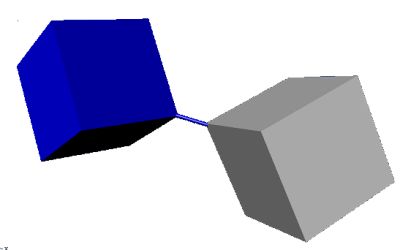
A new constraint PH_ROPE for ropes or rubber bands was implemented.
New library: car_props.c
New function: str_trim
New function: region_get
The bones.fx shader now also transforms the normals. Note that this only works for rigid bones matrices (rotations and translations). Arbitrary bones matrices would require inverse transpose transformation for normals, with a bad effect on the shader frame rate.
Network packet compression and encryption is now also supported in unprotected sessions.
The PhysX collision event now sets the you entity to the obstacle.
New functions: usb_setdata64, usb_error.
New functions sys_setstr, sys_getstr, sys_setvar, sys_getvar for storing game settings in the registry.
The maxbones variable can be used to determine if a material contains a GPU bones shader.
New function: bmap_createpart.
New function: floor.
New functions: pXent_getparams1, pXent_setposition.
A rear mirror was added to the knights_on_wheels demo.
bmap_process now also works with view materials that require a viewport setup (such as mtl_emboss).
c_intersect can now detect the intersection of a ray and a box.
The ent_seed function got an additional parameter for adjusting seeded entities to slopes on terrain.
Overloaded functions are now selected more precisely by their number of parameters.
USB I/O modules - such as relays - can now be controlled with usb functions.
The NOCAST, NOWORLD, and NOENT flags can be used for suppressing view content.
PSSM shadows now also work with GPU-rendered bones animation.
session_open can now be used to start unprotected multiplayer sessions. Unprotected sessions can be joined by any client, even with a different script.
For day-night transitions the ambient_color vector can now be changed at runtime.
The strength of stencil blurring can now be adjusted with the stencil_blur() parameter.
A script spot.c with a simple spotlight was added to the samples folder.
For bones animated models, c_updatehull now updates the collision hull to the current skeleton position when the bones position was changed.
ent_cloneskin now also works for sprites, which allows to create individual sprites from bitmaps.
The Map Compiler got a new allocation algorithm. This improves the compiling speed remarkably.
The var class (vars.h) now uses inline functions only; thus the vars.cpp file is not required anymore.
WED now also renames flags in the Entity Properties panel through comment tags.
d3d_entsort can now also sort transparent entities by their Y coordinate, which is sometimes useful for isometric games.
ent_create can now directly load model files in single-texture obj format.
The ent_setmesh function now also adapts the number of mesh drawing passes to the number of skin subsets in the new mesh.
The collision_mode variable can be used to speed up entity creation.
The ent_seed function can be used to seed entities on terrain, depending on colors on a mask image.
Terrain entities can now be directly created with the ent_createterrain function.
The c_intersect function can be used to detect collisions between moving panels, boxes, points, or rays.
The render_layer event is called before rendering panels, texts, and view entities.
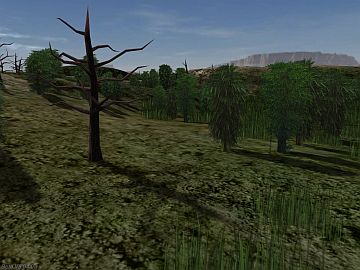
PSSM shadows are now rendered prior to transparent entities. Self-shadows can now be disabled with the CAST flag.
A new library shadows.c was added. It renders robust PSSM shadows in outdoor levels.
New functions for reading and setting a pixel color on a certain terrain position were added to the level.c library.
A pointer to the vertex declaration of model meshes was added.
The bg parameter allows to clear a VIEW to a certain value.
The MATERIAL struct now contains a pointer to the compiled LPD3DXEFFECT, which can be used for setting effect variables through DirectX functions.
On shader compiler errors, the error message now does only show the actual error, without preceding warnings.
A snow function was included in the particle library.

A new sample weather.c was added for demonstrating how to do a weather effect.
A WED Redo function is now implemented.
Extracting .pak files from resources is now more secure due to a new encryption algorithm.
The NOFOG flag now also works for VIEW objects.
With the clipfactor parameter, the clipping behavior of entities outside the view frustum can be affected.
The ENABLE_TREE material event now also works with view materials.
Redefining a variable with a different type will now give a warning message.
The Blinn shading algorithm was improved, giving a visually better effect for all standard shaders that use Blinn shading.
A new library entmove.c was added. This script libary contains basic entity position and angle manipulation functions, such as rotating, turning towards a target, moving to a certain position, or following a path.
The proc_status2 function can be used to check if a certain entity function was finished.
A aphysx.h header was added to the engine SDK, allowing users to use PhysX functions in C++ applications. A PhysX part was added to the C++ tutorial.
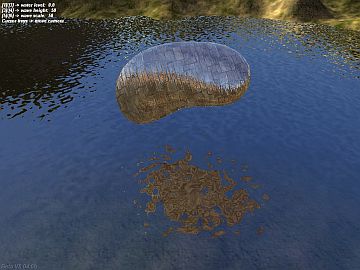
A water.c sample was added for demonstrating how to assign shaders from the library and adjust their parameters.
P The shader compiler now checks if a precompiled effect (*.fxo) exists and is newer than the effect file (*.fx) from the material definition. In that case, the precompiled effect will be loaded, rather than the effect file. This will speed up material loading. It also makes it unnecessary to include the shader compiler (d3dcompiler_42.dll) in the published version when precompiled effects are included instead.
A startup.h template was added. This customizable template starts the game with a splash screen, music, title, and sets some engine parameters like antialiasing and startup resolution.
A8 The Project Manager now supports the new lite-C template set, beginning with George's car and camera templates.
A8 WED now renders objects in two layers, so that only the active object is actually rendered. This increases the WED framerate especially in large levels.
A8 More improvements to the collision and trigger detection. Sprites now load noticeably faster and consume less memory.
CENTER_Y now also works with TrueType fonts.
The bmap_save function now clips the image to the size given in the BMAP definition.
The automatic adaption of the z buffer to the render target size can be prevented through the compatibility variable.
A8 The bmap_create function now also supports the 2x16 and 2x32 bit floating point formats.
A8 All WED/MED file open dialogs now use a standard Windows dialog with file history.
A model lightmap is now recognized by the engine and by shaders on any skin number (not only the second skin).
If an entity has a size above 100 units, its LOD distance is reduced by its radius. This gives better LOD results for large models.
The Game Design tutorial now contains the new MED and WED workshops by Quadraxas and David.
The view_check function can now determine if a box is fully or partially inside the view frustum.
A8 P Shaders can now be precompiled with the -fxo command line option for faster level loading and material creation.
A8 Some more fixes to the physics engine. EVENT_FRICTION is now correctly set, and pXent_movechar now moves and rotates correctly.
A8 ODE physics, A6 map collision detection and AABB collision was now removed from the A8 engine. This has the following consequences:
All string functions now support Unicode.
The pan_setstring function can place an ASCII or Unicode string on a panel.
A8 The effect_layer function can be used to create 2D particles that are rendered in panels or follow the mouse pointer.
A8 P The region_set function now supports clipping objects by their center.
The keys.c include file contains often used, simple functions related to keyboard and joystick input.
The following functions now also work with Unicode strings: str_width, str_cpy, str_cat, str_cmp, str_cmpi, str_cmpni, str_getchr, str_setchr, str_clip, str_trunc, str_chr.
The c_ignore function can be used to ignore certain entity groups on the following collision function call. It replaces the IGNORE_FLAG2 method.
The view_check function determines if a bounding box intersects a view frustum.
The WED/MED FBX importer was rewritten, using the 2010 FBX library. Many problems, especially with unsupported bones animation keys, are now gone. The new FBX importers are supposed to replace the old FBX 2005 / 2006 importers. Besides FBX files, they also import 3DS and some versions of Collada files.
A8 WEDB now got a tool for defining portal regions. Select the objects you want to be contained in the region, then click Add Region. A region frame is drawn around the selected objects. The region can be assigned a name under Properties. Portal regions can be used for clipping branches of the ABT resp. BSP tree (Pro only), or for other purposes such as triggers.
A8 P The region_set function disables or enables the branches of the ABT resp. BSP tree in a certain region.
A8 The region_create function creates a portal region in the level.
A8 region_check checks if an object lies within a certain region.
A8 region_find finds a region at a certain position.
A camera.c library was added to the snippets, allowing to set up an automatic player-following camera with 6 different modes. It replaces the old t_camera.c library from the car templates.
A8 Ventilator's 100-lines contest entry (Knights on Wheels) was modified for using car.c. It's now 25 lines, instead of 100...
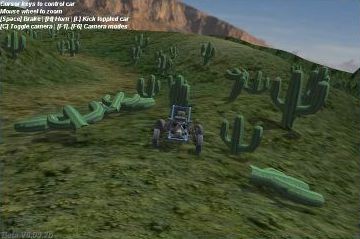
Users often have strange problems to correctly display a level loading splash screen. In most games, even in the templates, it's displayed after and not while level loading, and mostly with a wrong duration. To solve this once and for all, a function level_loadsplash was added to the level.c library.
A8 The car template was adapted to PhysX, and underwent a major cleanup on that occasion. A new car.c library with often-used vehicle function was added, and replaces the old tcar.c library from the templates.
A8 Many small fixes to the PhysX implementation. PhysX functions won't crash anymore when called with wrong parameters.
Declaring global struct pointers (f.i. VECTOR* v = {x=1;y=2;z=3;} ) inside functions will now issue an error message.
Array initialization now also supports multidimensional arrays.
This beta version contains the A8 engine kernel. A8 is 100% code compatible to A7, so all A7 projects should normally still run under A8 without any change. It even still supports A6 C-Script. The two exceptions are physics - see below - and external plugins that use a fixed D3DVERTEX size. The D3DVERTEX size of A8 is different and requires that plugins use the ent_status function for determining the vertex size.
A8 C The DirectPlay network library was replaced by the Enet library. This doesn't affect the network functions or traffic, so A7 network projects still work without any change. The main advantage is that Enet is less resource hungry and supports other platforms, which allows a possible future development of a Linux based network server.
A8 C The functions session_open, session_connect, client_drop, and session_close are now also available in the A8 Commercial Edition.
A8 P If a matrix array with the name matBones appears in a shader, the engine calculates the bones animation on the GPU, rather than on the CPU. This has of course several disadvantages - vertex manipulation, mouse picking, decals, and polygonal collision detection won't work with those entities. But they are rendered up to 3 times faster especially when they have many bones or use bones weights. With only a few bones and no weights, the difference is less noticable. An example level crowd.c is included for comparing the rendering speed (A8 Pro without bones shader: 14 fps; with bones shader: 40 fps).
A8 Due to an improved ABT algorithm, all A8 editions render levels with many entities noticably faster than A7. The difference can be up to 25%. A8 supports up to 200,000 entities per level (A7: 100,000; A6: 15,000).
A8 P The d3d_instancing variable activates instancing for sprites. The terrain demo is rendered about 30% faster with A8 Pro this way, although it has twice the vegetation density.
A8 For vegetation, new sprite types with 4 or 6 sides are supported.
A8 DDS sprites can now also be multi-sided and multi-framed.
A8 C Accelerated stencil shadows are now also available in the A8 Commercial Edition, and are now always used for stencil shadows. They are rendered up to three times faster than software based stencil shadows. The old software based mode is still implemented in the Free and Extra Editions.
A8 The hardware accelerated PhysX engine replaced the old ODE physics engine. In the beta version, both engines are supported; the PhysX binding was developed by Chris3D and is contained in the ackphysX.dll plugin. Here's a very basic physics program:
#include <default.c>
#include <ackphysx.h>

function main()
{
  physX_open();
  level_load(""); // load an empty level
  vec_set(camera.x,vector(-100,0,30));
  pXent_settype (NULL,PH_STATIC,PH_PLANE); // create a static plane at groundlevel zero

  ENTITY* ball = ent_create(SPHERE_MDL,vector(0,0,100),NULL);
  pXent_settype (ball,PH_RIGID,PH_SPHERE ); // create a ball
  pXent_setelasticity(ball,50);
  pXent_addvelcentral(ball,vector(0,-10,0)); // make it jump and roll sidewards

  while(1){
    pX_pick(); // pick and move the ball with the cursor
    wait(1);
  }
}
The syntax of the old physics commands is mostly maintained, so it's easy to move old physics applications, like the car demo and car template, to A8. In almost all cases this will result in a better frame rate and greater stability of the physics simulation. With an nVIDIA graphics card, the physics subsystem can now handle thousands of simultaneously touching physics objects (samples\physXtest.c):
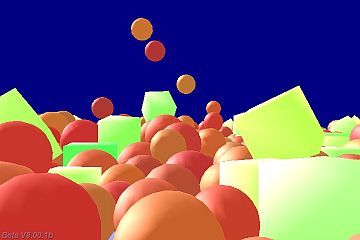
Please note that for testing the beta version you'll need to install the recent PhysX driver from the nVidia website; this won't be necessary with the release version.
A8 ent_create can create several entities at once by loading a WMB entity that contains sub-entities.
A8 A published A8 acknex.dll now works with all executables generated with the same development system. This way, a single DLL can be used for many EXEs (A7 and before required a separate DLL for any EXE). This also overcomes the problems with some commercial wrapper systems. (Please note that beta versions can't be published).
A8 Through the video_border function, an overlay channel in the window outside of the DirectX area is now supported. This way, arbitrary shaped windows are possible. An example can be found in the samples\digital.c demo:

A8 C The bmap_process function can be used for procedural texture generation and general parallel processing.
Some A8 features, such as portal regions, shadow mapping, HDR shader, OpenAL, etc. are not yet available in this beta version. They will become available for beta testing in the next time.
A shadowmapping demo - shadowmapping.c - was added to the samples folder.
If a view target is bigger than the frame buffer, the z buffer size is now automatically adapted, so calling bmap_zbuffer is not necessary anymore in that case.
str_len, str_cat, str_cmp, str_cmpi, and str_cmpni now also support Unicode strings.
The new car template system is now included.The DirectX version was changed from October 2006 to August 2009. The 2006 version had several bugs that became increasingly difficult to work around (including a bug with Unicode font rendering). The engine now uses the d3dx9_42.dll instead of the d3dx9_30.dll.
C The engine now supports Unicode text for displaying right-to-left writing like Hebrew or Arabic, as well as logographic or syllabic alphabets such as Chinese Han or Japanese Kana.

bmap_create can now also create cutouts from images.
str_setchr and str_getchr can manipulate single characters in a string.
The dtimer() function can measure time in a double variable, overcoming the var range limitation.
This version contains the new template system, beginning with the car ai template.
A new GED version with various small fixes was included.
Individual colors of panel elements (digits etc) can now be set through pan_setcolor, and changed at runtime.
ent_blendframe replaces the ent_blend function.
Levels with lightmaps and a second UV coordinate set can now be imported in WED from FBX files. A lightmap can be applied to the selected block through Textures/Apply Lightmap. The 3D view can be switched between texture and lightmap mode through the View menu.
d3d_automaterial can be used to automatically assign a standard material to all blocks with a certain texture.
str_parse, str_parse_tail, str_parse_head can be used to parse words out of a string.
sys_exit can now generate an exit code for the application, thus allowing it to control batch files.
The sys_marker function can be used to indicate memory areas that were overwritten due to a script bug. This can help fixing hard-to-locate bugs that result in random crashes.
C Bone weights are now also supported by all bones manipulation functions such as ent_bonerotate.
A new map compiler was included. Among several detail improvements, the BSP mode that confused newbies is now not default anymore.
According to a recent study, the choice reaction time is a major indicator of a person's life span. A small lite-C program reactiontest.c for measuring a person's choice reaction time was added to the samples.
The video_mode variable now only supports widescreen resolutions that are also supported by the video card in fullscreen mode. This way the engine won't start in a widescreen resolution that can't be switched to fullscreen mode. Switching to an unsupported fullscreen resolution now won't displace the engine window anymore.
P A set of ftp functions can be used to upload, download, or update files from a server.
P A set of http functions can be used for communicating with PHP scripts on a server, or for accessing an online database. The ftp and http functions were originally developed by Peter Soxberger for the MMOG Utopia.
For demonstrating how to use lite-C for simple calculations (without engine window), a program pi.c for calculating the first 1000 digits of Pi was added to the samples.
The compatibility variable can be used to restrict the bounding box size to the first frame, as required for a bug workaround in the A6 templates.
The MED Merge function now attempts to merge the bones also. This is not always possible, but should work in most cases.
The WED Block Properties panel now got an Apply button for easier numerical manipulation.
The WED Add Object dialogs were updated and are more clear now. The Load Entity function caused confusion for beginners and was thus removed. Entities can now only be placed from the folder path.
A C++ var class was added to the engine SDK. The examples were updated.
SED debugging sessions can now be repeated indefinitely - at least as long as the script doesn't crash - without increasing the allocated memory.
snd_add now returns the end of the sample in the target sound buffer.
file_exists tells if a file exists in the path.
When video_screen is set to 0, printf() prints into the text area of the startup window. This can be used for text-only programs.
P socket_connect, socket_send, and socket_receive can be used to communicate with a TCP or UDP socket.
str_chr finds the position of a character in a string.
str_cut cuts out a string from another string.
A tutorial about walking, third person camera, and collision events was added to the workshops.
On very small and very large models, FAT and NARROW are now both automatically set.
The LIGHT flag now also works for TEXT objects.
The PROC_NOFREEZE parameter exempts functions from freeze_mode.
The ent_nextlight function now stores light info in the hit struct, and can also detect WED-placed lights.
A new map compiler was included, with improvements of the lighting algorithms.
Through d3d_flags the renderer can be switched between pixel and vertex fog.
iLights gives the number of lights in range of the current object.
str_for_id now returns NULL when the client was disconnected.
The particles.c library contains often used, small particle related functions, such as emulating a particle effect with sprites. Suggestions or contributions of further functions are welcome.
The engine_status function can be called from a DLL for determining when engine variables are available.
The snd_add function writes a sound sample into the buffer of a playing sound, and can be used to compose sounds in real time.
The snd_playing function now returns the current play position.
The snd_create function can now create sine wave sounds of any duration without a sound file.
The material.lod variable can speed up rendering by suppressing shaders above a certain distance.
The UNTOUCHABLE flag makes panels transparent to mouse clicks.
The ent_status function can now be used for determining the size of a D3DVERTEX. Because the vertex size can change between engine versions and even between entities, this method is preferable over using the sizeof macro.
A new GED version with several small fixes is included.
The str_printf function copies formatted text and variables into a target string.
The file_date function can be used to compare the modification dates of two files.
The ent_animatefrom function can animate an entity with a scene from another entity.
The map compiler got two new options for setting the minimum smooth angle and switching tesselation off.
WED and MED underwent many small improvements and bugfixes.
The exec function can now be used for directly opening documents and Internet URLs.
WED and MED FBX importers were further revamped with many small improvements for texture import.
Reading engine object definitions by the lite-C compiler was improved; panel elements can now also access other predefined engine object parameters.
The new map compiler version improves shadow mapping, and avoids some problems with seams and imprecise texture coordinates of the previous versions.
The ent_bonehandle function returns the handle or name of a bone with a given number or name.
The draw_obj function draws a text, panel, or view entity for one frame on the screen.
With the bmap_for_texture function, textures can be replaced on level geometry, or videos can be played on them.
send_skill can now also send entity strings between clients and server. This allows f.i. updating player names to the clients.
P dplay_encrypt now uses a harder-to-crack algorithm. When encryption is active, clients are now dropped when their script does not match the server script. This effectively prevents any tampering with a client.
P By setting preload_mode to 16 or above, files in a resource can't be replaced externally. This improves the security of online games.
Error messages now indicate the erroneous function itself, rather than the function last called before the error. This makes it easy to find the problem by single stepping through the given function.
EVENT_DISCONNECT is now executed immediately when a client closes, without waiting for a timeout.
WED can now import from the 3DS and OBJ format, and select scale and origin at import.
Individual render targets for a view can be set through the target1...target3 parameters.
engine_gettaskinfo can be used to list all currently running functions.
The vmask parameter can be used to make parts of a model mesh invisible.
The hit struct now contains the number of the mesh subset, which can be used to determine which part of the model was hit.
ent_getdecal returns the decals attached to a certain entity or block.
The effect_lod variable can be used to disable all shaders above a certain distance.
LOD techniques now also work with level blocks. Previously they only worked with models.
Panel colors can now also be used for coloring bitmap fonts.
The client_id parameter can now be used to assign a sky entity to a certain view.
The engine window can now be maximized, minimized, or resized. An event is triggered f.i. for automatically adapting the video resolution.
Internal LOD meshes ( P ) are now rendered even when a decal is attached to the model.
engine_getscriptinfo delivers the name of a script function.
sys_nxalloc allocates memory from the level cache.
The application icon (displayed in the taskbar) is now set from the acknex.exe icon, and can be changed to any custom icon with an icon editor.
The strio.c library contains often used, small functions related to strings and file input/output.
The ent_buffers function can be used to retrieve and manipulate the shape of model, terrain, or level meshes.
For users who want to contribute to the upcoming A7 templates, a Template Writing Guide was added (WIP).
file_str_readto and file_str_writeto can now also read from and write to buffers.
vec_mul calculates the matrix product of two vectors.
With the sys_winversion variable the OS version can be determined.
The sys_message function can be used to 'remote control' external programs with lite-C.
The sys_active function can be used to wait until a program started with exec becomes active.
The preload_mode variable can now be set up to preload also the entities' environment light.
The exec function now accepts shortcuts for the program folder and engine folder.
The group parameter can be used to define individual collision groups for entities.
WED can now compile a level trough command line as well as with the WED SDK.
The new Export/Import Lights feature allows compiling a level with several different sets of lights, or splitting a level into several wmb entities that share the same lights.
Trough a d3d_entsort setting, intransparent entities can now also be sorted more precisely than with the ABT tree.
The level.c library contains often used, small level related functions, such as terrain tiling, placing entities on terrain, and generating an endless terrain level. Similar include files with simple, small, but useful functions will be added in the future for actors, weapons etc., and will be used by the templates. It is highly recommended that you use the functions from the include files for your own project when possible - they will be permanently maintained and improved. Suggestions or contributions of further functions are welcome.
The ang_diff function calculates the angle difference between two Euler angles.
The sys_malloc and sys_free functions can be used to create arrays of dynamic size at runtime; allocated memory is automatically released at exit.
A starfield screensaver example (a7_screensaver.c) was added to the samples folder.

The OVERLAY flag can now be used to enforce the solid rendering pass and z-buffer writing.
The SKY and NOSKY flags can be used to combine several views for generating an endless level effect.
A terrain / vegetation example (infinite_terrain.c) was added to the samples folder. This example uses 9 simultaneous views for a terrain level of virtually unlimited size, and can handle 60,000 entities per frame at a decent frame rate.
The CLIP flags give entities individual clip ranges.
The wind animation shader was adapted to sprites, and moved from experimental to release state.
The CULL_CW flag was changed from bit 17 to bit 27.
diag_mode can be used to print level statistics.
Shaders can be temporarily disabled by setting d3d_shaderversion to 0.
The ang_for_axis function rotates entities about an arbitrary axis.
The ang_to_matrix and ang_for_matrix functions can be used to rotate entities by rotation matrices calculated by external software packages, such as physics engines.
MED Model Properties can now also display the properties of terrain models.
The NOSEND_Z flag reduces the network traffic caused by entity position updates from 9 bytes to 6 bytes per entity.
WED and MED now support the Vista Aero theme when using the GXL2BASDX9B.DLL (moved from experimental to production state).
dplay_localfunction can now be used to suppress all entity level actions.
The on_exit event is also triggered when the Cancel button was hit on an engine error message.
Light positions are now updated immediately before rendering, preventing a one.frame lag that could be visible on fast moving lights.
X A new experimental GXL library (GXL2BASDX9B.DLL) was added that supports the Vista Aero theme. This is an experimental feature and works only with the beta WED (WEDB.EXE) that is included in the beta version.
When proc_mode is set to PROC_GLOBAL, the current entity function is not terminated when its my entity is removed by ent_remove or by a level change. Removing an entity sets all my and you pointers to that entitiy in all functions to NULL.
C The LightMap shader variable allows accessing the lightmap of a terrain entity. The terraintex material now contains a _lm technique that supports terrain lightmaps.
C The map compiler can now also create lightmaps for terrains. Shadows on the terrain surface are cast by the level geometry and by the terrain itself. Restriction: The PRV lighting doesn't use terrain lightmaps yet.
For terrains, ent_create now runs the terrain action (if any) before the terrain is placed in the level. This allows the action to set the scale of chunked terrains, which can otherwise not be changed afterwards.
For using the engine in an external application, a parent window can be set through hWndParent.
For multitexture terrains, the number of texture tiles per terrain row can now be given through detail_size.
Shaders can now access all global variables in the script through adding "_var" or "_flt" to the variable name.
The view_to_matrix function returns the transformation and projection matrix of a certain view.
P The session_close function switches back to single player mode.
SED has now two different buttons and keys for starting either the current script, or the script set up in preferences.
Some useful macros were added to acknex.h: DEBUG_VAR() and DEBUG_BMAP() can be used for quick debugging variables and view render targets. Some often used colors (COLOR_BLACK etc. ) are predefined. The functions D3DXVec3Set and D3DXVec4Set were added to the d3d9.h file for easier converting DirectX source code to lite-C.
View borders can be set for rendering isometric offcenter views.
The lite-C compiler now converts numeric types also for overloaded functions, which makes using them a little more relaxed.
If a sky is defined in the script, it is now always rendered in the background of the level when the level does not contain a sky box. If the level contains a sky box, the sky is only rendered when the sky box is visible.
X An experimental texture processing/procedural texture function was implemented in the beta version (bmap_process).
The mouse sensitivity can now be adjusted in WED Preferences.
A section about preventing light artifacts was added to the WED shader guide.
The view.lod parameter can be used to increase LOD steps in a certain view.
If a file name in the script starts with "_", but the file is not found, the engine now trys to open the same file name without the leading "_". This way files can be excluded from publishing without renaming them.
The Smooth flag on block surfaces now also causes Gouraud shading when the block is exposed to dynamic lights. Without that flag, the block gets flat shading with hard edges.
A description of the WMB format for A7.70 and above can be found on the formats page.
tex_cycles can be used to switch off the default animation, and determine its speed.
c_rotate now accepts the IGNORE_FLAG2 option and does not displace the entity origin anymore when GLIDE is not set.
Whe the engine runs as an entity viewer, include\viewer.c is automatically executed.
joy_raw and joy_rot now return values with decimals for higher precision.
ent_for_file returns a pointer to the first level entity with the given file name.
Mirror clip planes can now be used in shaders through vecPortal.
Panels, views and texts now got two general purpose variables skill_x, skill_y for storing pointers or whatever else.
The -eq command line option terminates the engine on encountering a syntax error, and prints the error message into a file.
ent_reload reloads a modified entity file from hard disk.
MED now contains the same slice tool as WED.
The snd_buffer function can be used for playing own sound samples through the engine's sound player.
Chunked Terrains can now be placed multiple times in the level, just like nonchunked terrain.
SED can now save its current state as a project without creating a new project before. The project data now also includes the main script name.
The SED code jumper now also lists global pointers to variables and engine objects. The code templates got some often-used code snippets for a file header, panel, action, main function, and particle function.
Two new samples - clock.c and particle_trail.c - were added to the samples folder.

pan_setneedle sets or modifies a needle element on a panel.
pan_setdigits sets or modifies a digits element on a panel.
pan_setwindow sets or modifies a window element on a panel.
C The video_alpha variable sets the transparency of the engine window and can be used to fade the window in and out.
window_pos gives the current engine window position on the desktop.
A new particle system was implemented. Particles are now round instead of square. C The BEAM effect is now a lot faster and consists of straight or curved lines instead of single particles. P The Pro Edition now uses instancing that allows ten times more particles without frame rate penalties.
C The bumpmapping shaders were improved and don't reflect lights from the back side anymore.
C The mtl_lightcount material can be temporarily assigned to an object for displaying the number of dynamic lights in range.
video_aspect can now be re-defined for starting with the selected screen aspect under C-Script.
C The AUTORELOAD, TRANSLUCENT, and PASS_SOLID material flags can now also be set by defining a bool variable within the .fx file.
C Panel digits elements now also support the SHADOW and OUTLINE flags.
str_for_id retrieves the player name of a certain player entity in a multiplayer game.
pan_setslider sets or modifies a slider. Sliders can now alternatively be defined with a scale image.
pan_setbutton sets or modifies a button on a panel.
txt_addstring adds a new string to a TEXT object.
32 bit TGA textures can now also be used for level geometry, thus allowing specular maps and height maps on the alpha channels of the texture and normal map.
MED now also got tools for cutting objects with a wire or a plane.
The predefined shaders now use the ambient, diffuse, specular, and emissive settings from the material.
path_scanpath scans only the path the entity is already attached to.
LC The parallax and occlusion shaders were rewritten. They now support two lights and lightmaps, and are much faster than their predecessors.
ent_setskin now also sets skins of sprites and chunked terrain.
The bumpmapping shaders now support 3 lights; the cartoon shader supports 8 lights and lightmaps.
New shaders were added to the shader library: glass, glassBump, chrome, chromeBump, turbulence, and wireframe.
The shader viewer was improved and now supports model autorotation and material adjusting.
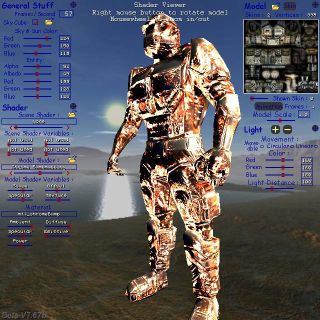
Shaders are now only compiled when they are visible. This reduces the engine startup time when the shader library is included, but causes a brief delay when the shader becomes visible on an entity the first time. For preventing this, shaders can be precompiled with ent_preload or preload_mode.
BMAPs can now be defined from rectangular sections of images.
The WED FBX importer was improved. Model textures can now be internal or external, and are not converted to 32 bit anymore.
Compressed images (.dds) can now also be used for sprite frames and sky cubes.
The on_client event is now also triggered when the client was accepted for the session, and when it was disconnected.
dplay_port sets a port number for the session_connect function.dplay_id contains the unique identification number of a client in a multiplayer game.
dplay_status can be used to determine the status of a client.
A 25th workshop Creating a Serious Online Game was added to the lite-C Tutorial. Please note that this workshop requires the upcoming beta 7.67 as it uses some features only available in this version.
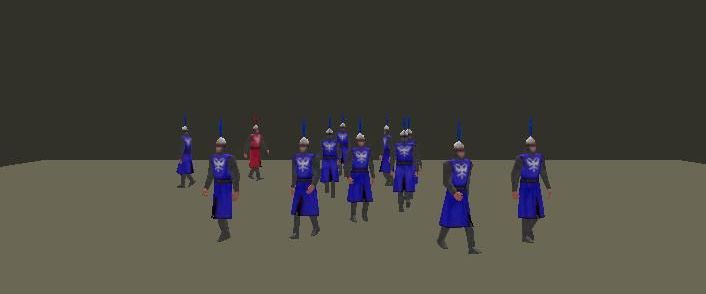
The SPOTLIGHT flag was moved from flags2 to flags in order to be updated over the network (flags2 aren't updated).
dplay_localfunction can now also be used to automatically run actions of created entities on all connected machines.
The sizeof() macro is now C/C++ compatible.
A predefined primitive cube, sphere, and sprite entity can now be created with ent_create.
mouse_pos3d gives the level coordinates of the mouse pointer.
file_ commands now also accept "%SAVE_DIR%" and "%EXE_DIR%" path constants. If no path is given, the file is opened in the work folder. The old behavior (opening the file in the save_dir folder) can be achieved by setting the compatibility variable at 8 or below.
The wiimote interface was improved and contains now a function for retrieving a pointer position from the infrared camera.
New error message: E1516 "Invalid pointer freed".
The d3d_lines variable can be used for making the effect of normalmapping shaders more visible, for testing purposes. Pressing [F11] twice when default.c is included will set this variable.
The code\st_stencilblur.fx effect blurs stencil shadows with a Poisson filter.
 |
 |
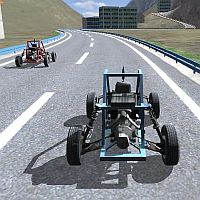 |
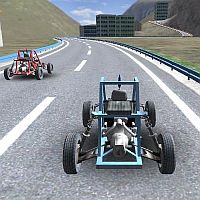
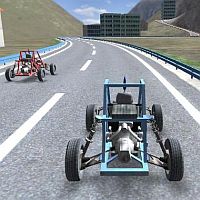
| General decal shadow | Individual decal shadow | Stencil self-shadow |
 |
 |
 |
| Stencil without self-shadow | Poisson blurred stencil shadow | Box blurred self-shadow |
P Setting shadow_stencil to 3 or 4 activates accelerated shadows that render about 3x faster than normal stencil shadows.
Mouse picking now also works in orthogonal views (ISOMETRIC).
The view_to_light function now copies the light color and other light data into the hit struct.
Due to optimizations in the mesh creation code, decal shadows are now generated twice as fast than before.
The WED slice tools were now moved from experimental to release state.
The shadow pointer can be used for individual shadow models and decal shadows.
Users tend to confuse the VISIBLE and INVISIBLE flags, which causes render errors and can not be detected by the compiler. We've now renamed the VISIBLE flag to SHOW.
The default albedo value of materials was increased from 50 to 100, due to several newbie complains about too-dim lighting in their levels.
SED now also scans .h and .fx files with the Find in Files function. When the directory field is empty, the current directory is selected. The [F5] and [Ctrl-F5] keys were swapped because Test Run is used more often than Debug Run.
Send_skill_to and send_skill_id can send an entity parameter to another client.
Ent_nextvertex finds the closest vertex to a certain terrain position, and can be used to deform chunked terrain in real time.
Arbitrary initial window sizes can now be set up through the screen_size vector.
View.aspect is now relative to the real monitor format.
video_aspect gives the format of the primary monitor.
Video_mode and video_switch now automatically switch to widescreen formats.
C Decal Shadows now replace the old z buffer shadows when shadow_stencil is set to 0. They are no 'real' shadows, but a diffuse darkness underneath the shadow throwing object, regardless of any light sources. They are faster than stencil shadows, and can in some cases look better.
Decals on terrain are now not cut off on chunks anymore. This allows unrestricted decal shadows on terrain.
X WEDB got two new tools for slicing and cutting blocks. Move the Slice Wire over any selected block or group, and press [Enter] to cut. The Slice Plane cuts the whole group along a plane. There are no icon images for the tools yet, so disable toolbar icons for activating them.
MDL models can now share textures between mesh groups. This might make sense when you have several groups with the same texture, but different materials.
The options in WED Preferences are now available in a new menu order.
The ent_setmesh function now updates the collision shape from the new mesh.
The ent_getvertex/ent_setvertex functions replace all vertex functions like vec_for_mesh, vec_to_mesh etc. They also support mesh deformation on chunked terrain.
The ent_status function returns information about the entity mesh, and replaces the ent_vertices, ent_skins, and ent_frames functions.
Shared textures are now supported for models.
The WiiMote plugin was improved and now contains smoothing functions for angles.
The num_sounds variable indicates the number of playing sound channels - also displayed in the Statistics Panel.
The smooth function lets a parameter - such as an angle - softly approach a target value, or smoothes jittery input values.
The WiiMote plugin by Firoball was now officially integrated in the engine. Up to 4 WiiMotes and other Bluetooth input devices are automatically detected at engine start.
D3DXVECTOR3 and D3DXVECTOR4 inline functions were added to include\d3d9.h.
In postprocessing shaders, the vecLightPos... arrays are now automatically set to the 8 closest lights that overlap the frustum of the postprocessing view. If the view has a genius, the vecLightPos... arrays are set to the lights in range of the genius entity instead.
Dynamic lights placed in WED now automatically get the CAST flag, i.e. they can throw shadows.
Shaders can now use an arbitrary number of textures by accessing BMAP objects.
The angle limit of decals can be set by the decal_clip variable.
The view volume size in ISOMETRIC mode can now be controlled by the view.arc parameter. ISOMETRIC mode can be used for orthogonal projection, or for clipping objects in a rectangular view volume f.i. for PSSM shaders (moved from experimental to release state).
The mouse_panel pointer can be used for determining which panel the mouse is over (if any).
The lightmapping algorithms of the map compiler were improved. Lighting 2.0 is now always activated (lighting 1.0 was removed). The Supersampling option resamples the lightmaps for removing 'staircase' artifacts.
Single faces of a block can now be individually selected in WED by clicking on them in the 2D or 3D views.
The ambient_color variable can be used to adjust the brightness of level entities that receive no light from the PRV. It is automatically loaded from lit levels. This prevents levels without ground plane from going fullbright.
"_repeat" effect passes can now use up to 4 repeated textures.
MED got new menu items for swapping and removing the second UV coordinate set. The coordinate sets are now also indicated under Model Properties.
The shader viewer now also displays shaders on map entities (if the shader supports lightmaps). A test entity "sphere.wmb" was added to the folder.
The mip_levels variable can be set for using more than 4 mipmaps per texture.
If mip_sprites is set above 0, mipmaps are now also created for all models that don't have own mipmaps.
A new material mtl_terraintex was added to the shader library, and can be used for rendering terrain with an arbitrary number of 32-bit masked textures.
The PASS_SOLID flag enforces entities to be rendered in the solid pass.
An effect pool is now allocated for all effects, supporting shared effect parameters.
If an effect pass name contains the character sequence "_repeat", the pass is repeated for every skin of the model. This special method can be used to render an arbitrary number of skins, for instance for multitexture terrain. The number of the current pass repetition can be evaluated through the iRepeat shader variable.
The run_mode variable can be used to distiguish between development and production mode, and determine the way the engine was started.
Later decals are now placed on top of earlier decals on the same object.
Models with both transparent and intransparent parts can now also be used for view entities.
The concave flag can now also be set for block groups in WED. This flag is required for all blocks that have lost their convexity due to vertex manipulations. Imported blocks have this flag set automatically.
A short guide about how to Apply Shaders to Level Blocks was added to the manual.
Als long as the PLUGINDIR was not changed, engine plugins are now automatically loaded from both the work folder and the acknex_plugins folder.
The inchar() function can be used to read a single character from the keyboard.
Truetype texts can be horizontally limited to the size_x area.
str_width returns the width of a string in pixels.
The WWRAP flag activates word wrap for a truetype text.
The ARIGHT flag aligns text right.
P dplay_encrypt activates encryption and compression of data packets sent over the network.