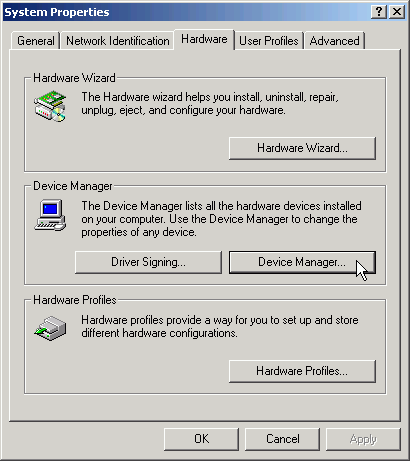
To open the Device Manager, click Start, point to Settings, and then click Control Panel. Double-click System. On the Hardware tab, click Device Manager.
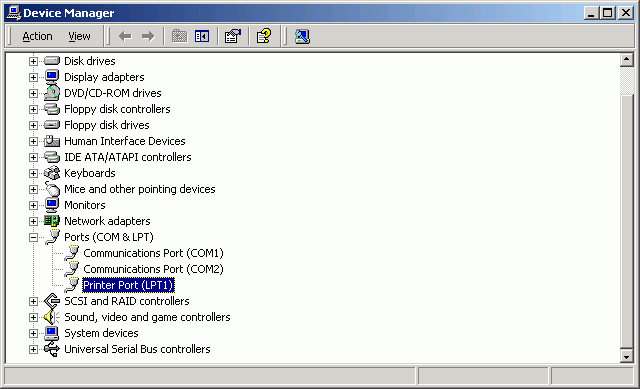
In the Device Manager, LPT Ports ( Printer Ports ) are listed under Ports (COM & LPT) ( in Devices by type view ).
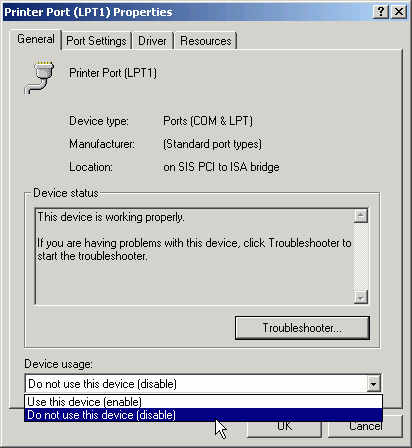
Right-click the LPT Port name and click Properties. On the Genaral tab, from the combobox Device usage select the Do not use this device (disable) item and close the dialog with OK button.
After
that you should see the LPT Port marked as inaktive :

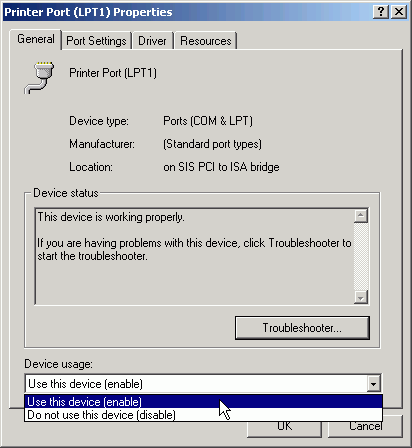
Right-click the deactivated LPT Port name and click Properties. On the Genaral tab, from the combobox Device usage select the Use this device (enable) item and close the dialog with OK button.
Now
you should see the LPT Port marked as aktive agian :